Someone Is Pushing Buttons on Your Phone: A Twenty-Minute MFA Fatigue Rehearsal
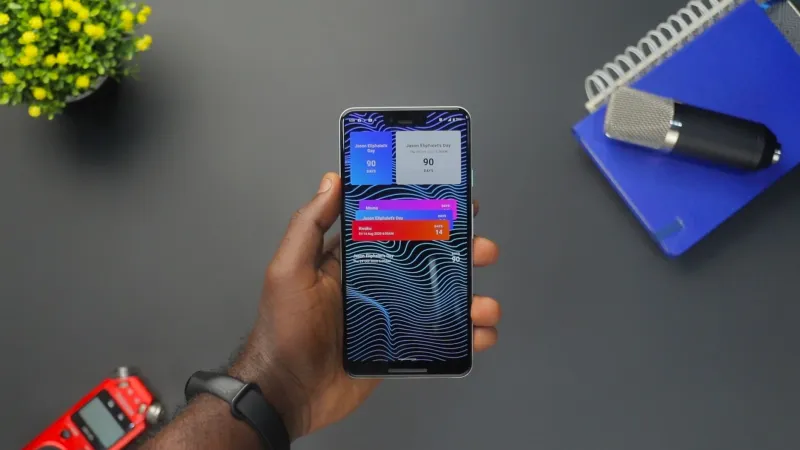
It is 12:40 on a Tuesday. Your phone is face up next to a sandwich, and it buzzes with an Authenticator prompt. You tap Deny. It buzzes again. You tap Deny. The third time, you are halfway through a call with a supplier and your thumb does the thinking. Approve.
That is the whole attack. No malware, no clever exploit, no hooded figure in a basement. Just a password that leaked somewhere, a script that fires sign-in prompts every few seconds, and a person with too many tabs open and not enough lunch break.
Why 'just deny it' stops working by prompt six
Security people call it MFA fatigue or push bombing. The attacker already has your username and password, usually from a breach or a phishing page. What they do not have is the second factor. So they trigger it over and over, hoping you will assume the app is broken, or that IT is testing something, or that the quickest way to make the buzzing stop is to tap Approve.
Sometimes they ring you as well. A friendly voice saying they are from the IT team, that there is a sync problem, and could you approve the prompt so they can fix it? In a larger organisation, that call goes to a service desk with a script. In a team of eight, it goes to the person who also does payroll, orders the tea and fixes the printer.
That is the bit small UK teams need to take seriously. The same person is often the finance lead, the Microsoft 365 admin and the first-aid trained one. Their phone is the keys to the building. A wrong tap at the wrong moment is not a minor slip; it can mean mailbox access, supplier invoices, client files and payroll data all in someone else's hands.
The answer is not to tell people to be more careful. They are already careful. The answer is to make the prompt harder to approve by accident, and to make it normal to say 'I got a weird one' without feeling like the office idiot.
Run the drill in twenty minutes (not as a live ambush)
Do not fire real prompts at staff to see who cracks. That is a good way to lose trust and a bad way to test anything. Use a tabletop instead, ideally with the whole team in one room or on one call. Set a timer.
0–3 minutes: explain the point. Say plainly: we are practising what to do when prompts arrive out of nowhere. Nobody is being tested. The goal is to make the next real one less confusing.
3–8 minutes: hand out three scenario cards. Keep them ordinary. 'You are on the school run and your phone buzzes four times.' 'You are in a meeting and a prompt appears with a number you do not recognise.' 'Someone rings saying they are from IT and asks you to approve a sign-in so they can update your account.' Ask what each person would do first, second and third.
8–14 minutes: walk through the decisions. The good answers are boring: deny the prompt, do not read out any numbers, contact the person through a channel you already trust, and tell whoever looks after IT. If someone says they would approve to stop the noise, do not sigh. Ask what would have made it easier to deny. That is the useful bit.
14–18 minutes: practise the helpdesk call. One person plays the staff member, one plays the person doing the checking. Use the script below. Swap roles. It will feel awkward for about ninety seconds, then it will feel like a normal conversation.
18–20 minutes: write down one change. Maybe it is turning on number matching. Maybe it is adding a line to the staff handbook. Maybe it is agreeing that nobody approves a prompt while driving, ever. One change, one owner, one date.
Four settings worth switching on before the next payroll run
You do not need a security operations centre to make push bombing much harder. You need a few settings and a small amount of patience.
In Microsoft 365 / Entra ID: turn on number matching in Microsoft Authenticator. It asks the person to type a number shown on the sign-in screen, which means a random prompt is much harder to approve by reflex. Switch on additional context so the app shows the application name and the approximate location. Require MFA for all users through Conditional Access, block legacy authentication, and keep admin accounts on phishing-resistant methods where you can. Check the sign-in logs for repeated 'MFA denied' events; a cluster of them is worth a phone call, not a shrug.
In Google Workspace: enforce 2-Step Verification for everyone, not just the keen ones. Give admin accounts security keys if possible. Turn on login alerts and admin alert rules for suspicious sign-in activity, and review which third-party apps have access to mail and drive. If someone leaves, suspend the account and remove their sign-in methods the same day, not at the end of the month.
A word of caution: do not change all of this on a Friday afternoon and go home. Pilot with one or two people, write a short note explaining what will look different, and make sure the person who handles IT knows how to issue a temporary access pass or reset a method when someone changes phones. The most secure setting in the world is useless if it locks out the only person who can run payroll.
The helpdesk script that does not start with 'are you sure?'
The tone matters as much as the words. The person who nearly tapped Approve is not the problem; they are the sensor that just went off. Try something like this:
'Thanks for flagging that. I would rather check ten of these than miss one. Did you start a sign-in just now, and what were you doing at the time?'
'Was there a number on your screen? Good — we never ask you to read that out to anyone, including me.'
'If you did approve one, that is okay. We will treat it as a possible compromise and work through it together. Please bring your phone and stay on this call.'
Then do the boring, effective things: revoke active sessions, reset the password, review MFA methods and remove anything you do not recognise, check mailbox rules and forwarding, look at recent sign-ins, and tell the person what happens next. If data may have been accessed, get advice on your UK breach obligations — the ICO expects notification within 72 hours where there is a real risk to people. Suspicious emails can go to the NCSC's reporting service; fraud can go to Action Fraud. If you have cyber insurance, ring the incident line before you start rebuilding everything from scratch.
After the drill, write down two lines
One: what we changed. Two: who owns it. Put it in the same place you keep the fire drill and the first-aid box. Then run the rehearsal again when someone new joins, or when the team is tired and stretched and the prompts start arriving at lunchtime.
MFA fatigue is not a technical problem that gets solved once. It is a human problem that gets easier when the settings do some of the work and nobody is embarrassed to say 'that one looked dodgy'. For a small UK team, that is a decent afternoon's work.